
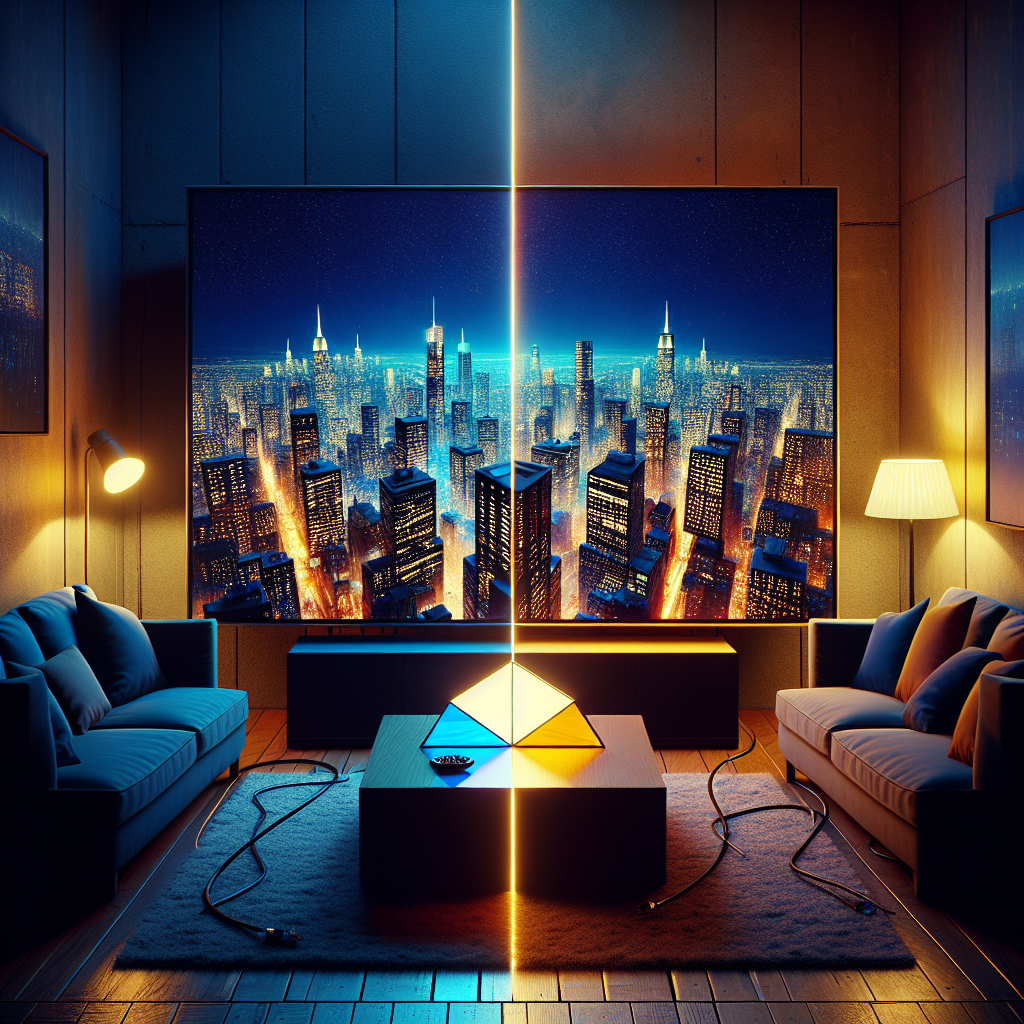
1080p vs 4K: How Much Resolution Do You Really Need?
Choosing between 1080p vs 4K sounds simple on paper. One number is bigger, so it must be better. Yet once budget, screen size, viewing distance, and content sources enter the picture, the decision becomes less obvious.
This breakdown walks through how 1080p and 4K actually look in real use, where the differences matter, and when you can safely save money without sacrificing visible quality.
What 1080p and 4K Really Mean
Before comparing 4K vs 1080p quality, it helps to translate the marketing labels into actual pixel counts.
Pixel counts and aspect ratio
Most modern TVs and monitors use a 16:9 aspect ratio. Within that shape, resolution describes how many pixels fit across and down the screen:
-
1080p (Full HD): 1,920 × 1,080 pixels ≈ 2.07 million pixels
-
4K (Ultra HD / UHD): 3,840 × 2,160 pixels ≈ 8.29 million pixels
So 4K has exactly four times as many pixels as 1080p. That is the core of the resolution comparison between full HD vs 4K.
A concrete example makes this clearer. Imagine a 55‑inch TV showing a close‑up of a football. On a 1080p screen, the stitching might look slightly soft if you stand close. On a 4K screen, each thread edge appears more defined because there are four times more pixels drawing the same image area.
Why 4K is called “4K”
Strictly speaking, cinema 4K is 4,096 pixels wide. Consumer 4K TVs use 3,840 pixels but kept the “4K” label for simplicity. For everyday viewing, 1080p vs 4K effectively means:
-
1080p ≈ 2 million pixels
-
4K ≈ 8 million pixels
That 4× pixel increase enables sharper detail, especially on large screens.
1080p vs 4K: Visible Quality Differences
More pixels do not always translate to visible improvement. Human vision, screen size, and distance all shape how 4K vs 1080p quality actually appears.
When 4K looks clearly better
You are more likely to see a clear difference when:
-
The screen is large (50 inches and above)
-
You sit relatively close (around 1.5–2.5 meters)
-
The content is native 4K (not just upscaled 1080p)
Example: A 65‑inch 4K TV showing a 4K nature documentary from Netflix. From 2 meters away, individual leaves, fur, and fine textures look noticeably more detailed than on a 65‑inch 1080p TV. The picture appears cleaner, especially in wide landscape shots.
When 1080p and 4K look similar
The same resolution comparison can feel underwhelming on smaller screens or from farther away. On a 24‑inch monitor at a standard desk distance, many people struggle to see a major sharpness difference between 1080p and 4K during regular web browsing or document work.
Another example: A 43‑inch TV in a bedroom, viewed from 3 meters away, playing a 1080p Blu‑ray disc. Upgrading that TV to 4K will not suddenly transform the movie. The limiting factor is viewing distance and source resolution, not the panel.
Factors that matter as much as resolution
When comparing full HD vs 4K, resolution is only one piece. Other image quality factors often have a bigger day‑to‑day impact:
-
HDR (High Dynamic Range) support
-
Peak brightness and contrast
-
Color accuracy and gamut
-
Local dimming on TVs
-
Refresh rate and motion handling
For instance, a well‑calibrated 1080p OLED TV with deep blacks and rich color can look more impressive than a cheap 4K LCD TV with washed‑out contrast. The 4K vs 1080p quality debate changes once these characteristics enter the equation.
Screen Size and Viewing Distance: Where Resolution Matters Most
Resolution only matters if your eyes can resolve the extra detail from your usual seat. That depends on screen size and how far you sit.
The practical viewing distance rule
A simple rule of thumb:
-
For 4K, ideal viewing distance ≈ 1.0–1.5 × the screen diagonal
-
For 1080p, ideal viewing distance ≈ 1.5–2.5 × the screen diagonal
Example: For a 55‑inch TV
-
4K sweet spot: about 1.1–2.1 meters
-
1080p sweet spot: about 2.1–3.5 meters
If you sit 3.5 meters from a 55‑inch TV, the extra detail of 4K becomes hard to see. In that case, the full HD vs 4K difference is minimal.
Concrete scenarios
Living room TV
-
TV size: 65 inches
-
Distance: 2.5 meters
-
Use: streaming, sports, movies
Here, 1080p vs 4K is noticeable. Fine textures in sports jerseys, stadium crowds, and 4K streaming content from platforms like Disney+ will look crisper on a 4K set.
Small apartment or dorm room
-
TV size: 40–43 inches
-
Distance: 2–2.5 meters
-
Use: casual streaming and gaming
At this size and distance, 1080p remains very acceptable. Unless the viewer is particularly sensitive to image detail, the jump to 4K is less dramatic.
Desktop monitor
-
Size: 27 inches
-
Distance: 60–80 cm
-
Use: office work, browsing, light gaming
Here, the resolution comparison becomes more obvious. 4K text looks extremely sharp, and high‑resolution photos reveal more detail. However, it also makes interface elements smaller, which can require scaling.
Content Sources: What Are You Actually Watching?
A 4K screen only shows its full potential when the content matches. The 1080p vs 4K debate changes if most of the viewing material is still HD.
Streaming services
Major platforms offer a mix of resolutions:
-
Netflix, Disney+, Prime Video, Apple TV+: large libraries in 4K HDR, but many shows remain in 1080p
-
YouTube: plenty of 4K, but quality varies widely depending on the creator
Example: Watching a 4K Netflix original series (labeled “Ultra HD 4K”) on a 4K TV shows clear gains in 4K vs 1080p quality. However, older series only available in 1080p will not look magically ultra‑detailed on a 4K screen; they are just upscaled.
Broadcast TV and cable
In many regions, broadcast TV channels still transmit in 720p or 1080i/1080p. Sports, news, and local programming are often limited to HD. On a 4K TV, these channels are upscaled. That process can look good on a quality set, but it is not true 4K.
For viewers who mainly watch cable news and local channels on a mid‑size TV, full HD vs 4K may not change much.
Physical media and game consoles
-
Blu‑ray: standard discs are 1080p, while Ultra HD Blu‑ray supports 4K and HDR
-
PlayStation 5 and Xbox Series X: many games render at or near 4K, often with dynamic scaling
-
Nintendo Switch: outputs up to 1080p only
Example: A film like “Blade Runner 2049” on Ultra HD Blu‑ray looks dramatically different on a 4K HDR TV compared to its 1080p Blu‑ray version on a 1080p set. The extra resolution and HDR combine to produce a more cinematic image with finer textures and more subtle lighting.
If the main use is a Nintendo Switch on a 40‑inch TV, the 1080p vs 4K upgrade brings limited benefits because the console tops out at 1080p.
Gaming: 1080p vs 4K for Performance and Visuals
For gaming, 1080p vs 4K involves more than sharpness. Frame rate, input lag, and GPU load all come into play.
PC gaming: performance vs detail
Driving modern games at native 4K requires a powerful graphics card. The same GPU that pushes 120 fps at 1080p may only manage 60 fps or less at 4K.
Example: A mid‑range GPU like an NVIDIA RTX 3060 Ti:
-
At 1080p, it can run many AAA titles at high settings, 100+ fps
-
At 4K, the same games might drop to 40–60 fps, forcing lower settings
For fast‑paced shooters or competitive games, smoother motion at 1080p often feels better than ultra‑sharp 4K at lower frame rates. The 4K vs 1080p quality trade‑off here is between clarity and responsiveness.
Console gaming
-
PS5 / Xbox Series X: target 4K, but many games use dynamic resolution scaling or performance modes
-
Performance modes: 1080p or 1440p at 60–120 fps
-
Quality modes: higher resolution, often capped at 30–60 fps
Example: A console game may offer:
-
“Resolution Mode”: 4K at 30 fps
-
“Performance Mode”: 1080p or 1440p at 60 fps
On a 55‑inch TV, the resolution comparison shows slightly softer edges in Performance Mode, but the smoother motion is obvious. Many players prefer Performance Mode despite the lower resolution.
Competitive vs cinematic priorities
For esports and competitive titles such as Valorant or Call of Duty, 1080p at high refresh rates (144 Hz or 240 Hz) remains the standard choice. For single‑player cinematic experiences, 4K with HDR on a large TV can provide a more immersive presentation.
The right answer in the 1080p vs 4K decision for gaming depends on whether responsiveness or visual richness matters more.
Productivity and Creative Work: Text, Photos, and Video
Outside entertainment, the resolution comparison between 1080p and 4K affects how much you can fit on screen and how sharp everything looks.
Office work and coding
On a 27‑inch monitor, 1080p yields a pixel density around 81 PPI (pixels per inch). Text can look slightly jagged, and windows feel cramped when multitasking.
The same 27‑inch screen at 4K jumps to about 163 PPI. That means:
-
Crisper text and UI elements
-
More workspace for side‑by‑side windows
-
Better readability for small fonts
Example: A developer working with an IDE, browser, and documentation side by side on a 4K 27‑inch monitor can keep more information visible without constant tab switching. The 4K vs 1080p quality difference is immediately apparent in text clarity.
Photo editing and graphic design
For photographers and designers, full HD vs 4K is not just about sharpness. It affects how accurately you can judge fine details.
On a 4K 32‑inch monitor, a 24‑megapixel image can be viewed at closer to full resolution without zooming. Dust spots, skin imperfections, and fine lines become easier to spot and retouch. Color‑critical work still depends on calibration and panel quality, but higher resolution helps with precision.
Video editing
For editors working with 4K footage, a 4K monitor is almost a requirement. It allows:
-
Native 1:1 preview of 4K timelines
-
More accurate focus checks
-
Better judgment of detail in VFX and color grading
Example: Editing a 4K drone clip on a 1080p monitor forces constant zooming and guessing about fine detail. On a 4K screen, the editor can view the entire frame at full resolution and still see subtle compression artifacts or noise.
Here, 1080p vs 4K is not a luxury upgrade; it directly affects workflow quality and speed.
Cost, Bandwidth, and Storage: The Hidden Trade‑offs
Resolution upgrades carry hidden costs beyond the panel itself. When considering full HD vs 4K, it helps to factor in bandwidth, storage, and hardware.
TV and monitor pricing
Prices shift constantly, but some general patterns hold:
-
For small screens (under 32 inches), 1080p remains common and affordable
-
For mid to large TVs (50 inches and above), 4K is now the default, often with minimal price premium
Example: In many markets, a 55‑inch 1080p TV is rare or not much cheaper than a 55‑inch 4K TV. In that case, choosing 4K offers better future‑proofing without a major cost increase.
On the monitor side, a 27‑inch 4K display still costs more than a 1080p model, but the gap has narrowed. For professionals, the productivity gains often justify the price.
Streaming bandwidth requirements
4K streaming uses significantly more data than 1080p:
-
Netflix 1080p: around 5 Mbps
-
Netflix 4K: around 15–25 Mbps
Households with slower internet connections or strict data caps may find 1080p vs 4K a practical decision rather than a purely visual one. Buffered streams, reduced quality during peak hours, or ISP throttling can all erode the theoretical benefits of 4K.
Storage and workflow for creators
For content creators, 4K introduces heavier files:
-
4K footage can demand 4× the storage of 1080p at similar bitrates
-
Editing 4K requires faster drives and more RAM
-
Archiving projects becomes more expensive
Example: A 30‑minute 1080p video project might occupy 20–40 GB of source files. The same project shot in 4K can easily consume 80–160 GB. For small teams or solo creators, the resolution comparison must account for these ongoing infrastructure costs.
Making the Right Choice: Practical Recommendations
The 1080p vs 4K decision becomes easier once you match resolution to use case, screen size, and budget.
When 1080p is enough
1080p still makes sense when:
-
The screen is small (24–32 inches)
-
Viewing distance is long relative to size
-
Internet bandwidth is limited
-
The main content is HD broadcast, older streaming, or 1080p consoles
Concrete example: A 32‑inch TV in a kitchen, viewed from 3 meters away, playing cable channels in 1080i. A 4K upgrade offers almost no visible gain.
When 4K is the better choice
4K is worth it when:
-
The screen is 50 inches or larger
-
You sit within 2.5 meters of the TV
-
You regularly watch 4K streaming, Ultra HD Blu‑ray, or play 4K‑capable games
-
You do creative work with photos or 4K video
Example: A 65‑inch living room TV with a Netflix 4K subscription and a PS5 benefits directly from 4K. The 4K vs 1080p quality leap is easily noticeable for movies and modern games.
Balancing resolution with other features
When comparing models, do not let resolution overshadow other critical specs. Between two similarly priced TVs:
-
A 4K set with poor contrast and no HDR can look worse than a 1080p set with strong contrast and accurate color
-
A 1080p 240 Hz gaming monitor may serve a competitive player better than a 4K 60 Hz screen
For many buyers, a practical approach is:
-
Pick the right size for the room and viewing distance.
-
Aim for 4K on 50‑inch+ TVs and 27‑inch+ productivity monitors if budget allows.
-
Prioritize HDR, contrast, and refresh rate alongside resolution.
-
Check internet speed and content sources to see how often 4K will actually be used.
FAQ: 1080p vs 4K
Is 4K really that much better than 1080p?
Yes, 4K vs 1080p quality can be significantly better, but only under the right conditions. On a large screen with native 4K content and a reasonable viewing distance, detail and clarity improve noticeably. On smaller screens or with mostly 1080p sources, the improvement is far less dramatic.
Can the human eye see the difference between 1080p and 4K?
At close distances and on larger screens, most people can see a clear difference in a resolution comparison. As distance increases relative to screen size, the eye can no longer resolve the extra detail. For example, at 3.5 meters from a 40‑inch TV, many viewers will not distinguish 1080p from 4K in normal content.
Is 4K worth it for gaming?
It depends on priorities. For cinematic single‑player games on a big TV, 4K with HDR looks impressive. For competitive gaming, 1080p at higher frame rates often feels better. Many players choose performance modes that lower resolution to keep frame rates high, even on 4K screens.
Do I need faster internet for 4K streaming?
Yes. Most services recommend at least 15–25 Mbps for stable 4K streaming. If the connection cannot sustain that, the stream will drop to 1080p or lower, making the full HD vs 4K advantage largely theoretical.
Will 1080p become obsolete soon?
1080p will remain common for years, especially on smaller screens, budget devices, and broadcast TV. While 4K has become the standard for larger TVs and premium content, 1080p still offers adequate quality in many everyday scenarios.
Is 4K worth it on a 27‑inch monitor?
For productivity and creative work, yes. Text and UI elements look very sharp, and more workspace becomes available. For casual use, some users find the difference less critical, especially if scaling is not configured properly. The 1080p vs 4K benefit here is mostly about clarity and workspace, not cinematic impact.
Should I upgrade my 1080p TV to 4K right away?
If the current TV is working well, under 50 inches, and most content is HD, an immediate upgrade is not essential. When the time comes to replace it, choosing 4K on mid‑size and large screens provides better future‑proofing and improved 4K vs 1080p quality for newer content.


Leave a Reply