
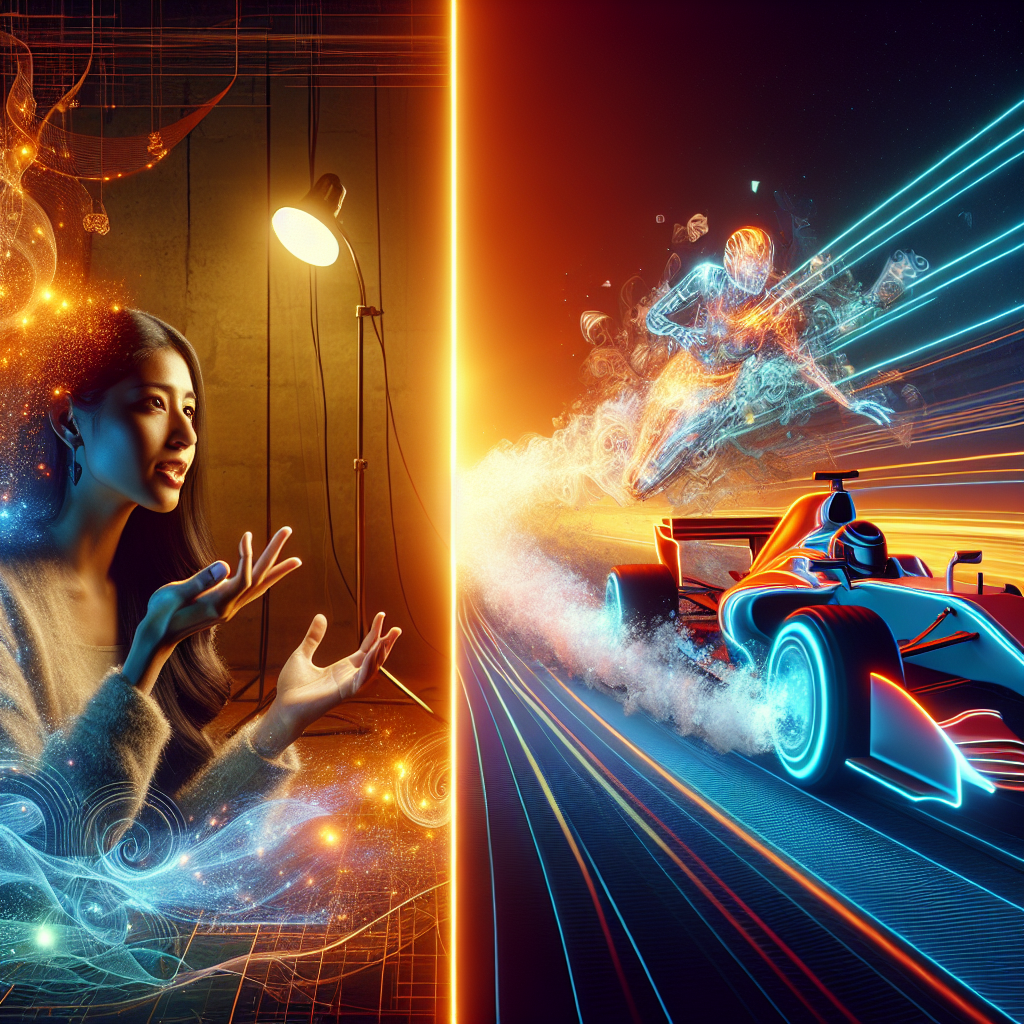
30fps vs 60fps: How Frame Rate Changes the Way Video Feels
Frame rate sounds technical, but it describes something you notice every time you watch a video or play a game: how smooth motion looks and feels. When you compare 30fps vs 60fps, you are really choosing between two different styles of motion, two different file sizes, and two different performance demands on your device.
This guide breaks down what frame rate is, how 30fps and 60fps differ, and when each one makes more sense. It also covers specific recommendations for gaming, YouTube, film-style projects, and short social clips.
What frame rate actually means
Frame rate is the number of images (frames) shown every second in a video. The common shorthand is fps, or frames per second.
-
30fps means 30 separate images per second.
-
60fps means 60 separate images per second.
The higher the frame rate, the smaller the motion step between frames. That usually means smoother motion, but it also means more data to capture, process, and store.
A simple example:
-
A character runs across the screen in one second.
-
At 30fps, the run is broken into 30 still images.
-
At 60fps, the run is broken into 60 still images.
The 60fps version has twice as many motion samples, so the movement looks more fluid and more precise, especially when you pause or slow it down.
Why 24fps, 30fps, and 60fps are common
Historically, film used 24fps, which creates a slightly blurred, cinematic look. Television formats pushed towards 30fps (technically 29.97fps in many standards). With digital displays and fast GPUs, 60fps became common for games, sports, and high-motion video.
So when you think about frame rate comparison, you are really comparing three different traditions:
-
24fps for classic cinema feel
-
30fps for traditional broadcast and web video
-
60fps for ultra-smooth motion and responsive gameplay
30fps vs 60fps: the core differences
When people compare 30fps vs 60fps, they usually care about three things:
-
How smooth and natural motion looks
-
How large the files are and how hard they are to stream
-
How much performance the capture and playback require
Motion feel and clarity
At 30fps, motion looks familiar and natural for most talking-head videos, vlogs, and slower content. There is enough temporal resolution to show movement clearly, but fast motion can blur or stutter a bit.
At 60fps, motion has a crisp, hyper-real quality. Camera pans feel smoother, text scrolls more cleanly, and fast action becomes easier to follow.
Example:
-
Watching a tech reviewer talk to the camera at 30fps feels normal. The face, hands, and small gestures are clear enough.
-
Watching a high-speed racing game at 30fps, especially with quick camera turns, can feel less stable. At 60fps, the same scene looks much more controlled and readable.
File size and bandwidth
Twice the frames per second usually means more data. Modern codecs compress video efficiently, but for similar quality settings, 60fps will produce significantly larger files than 30fps.
If you export two versions of the same 5‑minute clip:
-
1080p 30fps at 8 Mbps
-
1080p 60fps at 12–16 Mbps (typical for comparable quality)
The 60fps file will often be 1.5x–2x larger. That affects upload times, storage, and mobile data usage.
Performance and device load
Recording, editing, and playing back 60fps footage requires more from your hardware:
-
Cameras need to read and encode more frames.
-
Editing software has more frames to decode and render.
-
Phones and laptops need more processing power to play 60fps smoothly.
On older hardware, 60fps playback can stutter, while 30fps remains stable.
30fps vs 60fps: motion feel, file size, and platform support
The table below summarizes how 30fps vs 60fps stack up in practice.
Aspect30fps60fpsMotion feelNatural, slightly softer motion; familiar lookVery smooth, crisp motion; more “live” or hyper-realFast action clarityCan blur or stutter on quick movementMuch clearer tracking of fast subjects and camera pansPerceived responsivenessAdequate for video; less ideal for competitive playNoticeably more responsive in games and interactionsFile size (same resolution)Smaller files; easier to store and uploadLarger files; 1.5x–2x typical size vs 30fpsBandwidth needsLower; better for slow or unstable connectionsHigher; may buffer more on weak networksEditing workloadLighter timeline; easier on older machinesHeavier; more frames to decode and renderPlatform supportUniversally supported everywhereWidely supported; some platforms limit or transcodeBest use casesVlogs, tutorials, interviews, film-style contentGaming, sports, action, product demos, slow motion
Most modern platforms, including YouTube, Twitch, TikTok, Instagram, and major browsers, support 60fps playback. However, some social platforms still down-convert or re-encode aggressively, especially on mobile uploads, which can reduce the benefit of 60fps for casual clips.
60fps vs 30fps gaming: why it feels so different
For games, 60fps vs 30fps gaming is not just about how the footage looks. It changes how the game feels to play.
Input response and control
Games often tie their input and animation updates to the frame rate. At 30fps, the screen updates every 33.3 milliseconds. At 60fps, it updates every 16.7 milliseconds.
That difference matters when you:
-
Flick aim in a shooter
-
Dodge attacks in an action RPG
-
Steer precisely in a racing game
At 60fps, the image reacts to your input roughly twice as often. The result is tighter control and a more connected feeling between your hands and the on-screen action.
Example:
-
In a competitive shooter, tracking a fast-moving target at 30fps feels slightly behind the action. At 60fps, the same movement looks more continuous, so micro-adjustments become easier and more accurate.
Motion clarity and eye fatigue
Games combine fast camera movement with detailed scenes. At 30fps, rapid turns can create visible judder and blur. Your eyes work harder to track objects.
At 60fps, the extra frames smooth out those transitions. That reduces visual noise and can lower eye fatigue during long sessions.
However, running a game at 60fps requires more GPU and CPU power. On consoles and mid-range PCs, developers often give players a choice:
-
Performance mode: 60fps (or higher) with lower resolution or reduced visual effects.
-
Quality mode: 30fps with higher resolution and better graphics.
For competitive play, performance mode usually gives a practical advantage.
Recording and streaming gameplay
If you stream or record gameplay, consider both the game frame rate and the stream frame rate.
-
A game running at 60fps recorded at 30fps still feels smoother than a game locked at 30fps.
-
Streaming at 60fps demands more upload bandwidth and CPU encoding power.
On platforms like Twitch and YouTube, 1080p60 is now common for game streams, but many creators still choose 720p60 or 1080p30 to match their internet limits.
Recommendation for gaming:
-
Prefer 60fps for any fast or competitive game when your hardware allows.
-
Use 30fps only when you need higher resolution, better graphics, or stable performance on limited hardware.
30fps vs 60fps on YouTube and web video
YouTube accepts both 30fps and 60fps uploads at common resolutions (720p, 1080p, 1440p, 4K). The platform labels 60fps versions with a small “60” in the quality menu (for example, 1080p60).
When 30fps works better for YouTube
For many YouTube formats, 30fps is entirely sufficient and even stylistically preferable:
-
Talking-head explainers
-
Screen recordings with slow cursor movement
-
Interviews and podcasts
-
Educational whiteboard or slide content
Example:
A coding tutorial with static code and minimal motion gains little from 60fps. The extra frames will not make text easier to read, but they will increase export time and file size.
For creators who upload frequently, 30fps reduces:
-
Render times in the editor
-
Upload times, especially on slower connections
-
Storage use on backup drives
When 60fps improves the viewing experience
60fps shines on YouTube when there is real motion to show:
-
Gaming videos and live streams
-
Sports highlights and replays
-
Tech reviews with fast camera moves and product spins
-
Action-heavy B‑roll and cinematic drone shots
Example:
A camera review that includes a skateboarder in motion benefits from 60fps. Viewers can see the board, wheels, and background move more clearly, and slow-motion segments look smoother.
Keep in mind that viewers watch on a mix of devices and networks. Some will not notice the difference between 30fps and 60fps on a small phone with limited bandwidth, while others on large monitors and TVs will appreciate the extra smoothness.
Recommendation for YouTube:
-
Use 30fps for talking-head, tutorial, and static content.
-
Use 60fps for gaming, sports, and any video where motion is central to the story.
Film-style content: why 30fps vs 60fps feels less cinematic
Film-style content often aims for a specific aesthetic rather than maximum smoothness. Traditional cinema uses 24fps, which introduces a characteristic motion blur and judder that viewers associate with movies.
How 30fps fits into a cinematic workflow
30fps sits between 24fps and 60fps. It looks smoother than 24fps but still not as hyper-real as 60fps.
If you want a film-style look but need to deliver to platforms that prefer 30fps, you can:
-
Shoot at 30fps and add a slight motion blur and grading to emulate a softer film feel.
-
Shoot at 60fps and convert to 24fps or 30fps in post, using frame blending or motion interpolation carefully.
Example:
A short narrative piece shot entirely at 60fps and played back at 60fps often feels like a soap opera or live TV, not a film. Shooting at 24fps or 30fps, with controlled shutter speed and lighting, preserves the cinematic mood.
When 60fps breaks the film illusion
For drama, documentaries with a strong narrative, or music videos, 60fps can pull viewers out of the story. Faces and sets look too sharp in motion, and the movement feels more like behind-the-scenes footage than the finished piece.
Some creators still shoot at 60fps for flexibility, then:
-
Slow key shots to 40–50% speed for smooth slow motion in a 24fps or 30fps timeline.
-
Use only selected 60fps segments for stylized moments, such as dance or action beats.
Recommendation for film-style projects:
-
Prefer 24fps or 30fps for the main timeline to keep a cinematic motion feel.
-
Capture 60fps only when planning intentional slow motion or action inserts.
Social clips: picking between 30fps and 60fps
Short-form platforms like TikTok, Instagram Reels, and YouTube Shorts compress video aggressively and prioritize fast loading. Both 30fps and 60fps are accepted, but the benefits of 60fps depend on the type of clip and the audience’s connection.
When 30fps is enough for social video
Many social clips focus on faces, text overlays, and simple camera moves:
-
Talking to camera in portrait mode
-
Quick tips and how‑tos
-
Storytelling with minimal movement
For these, 30fps usually looks fine. The platform’s compression will often blur subtle differences, and viewers scroll quickly.
Example:
A 20‑second career tip filmed in good light, framed as a medium close-up, will not gain much from 60fps. The message and framing matter more than the extra frames.
Where 60fps stands out on social
60fps becomes noticeable when the clip features fast motion or when slow motion is part of the style:
-
Sports tricks, parkour, and dance trends
-
Product spins and transitions with quick camera movement
-
Car content and travel B‑roll
Example:
A slow-motion basketball dunk cut from 60fps to 30fps at half speed retains smooth arcs and clean motion trails. The same dunk captured at 30fps and slowed down will stutter.
Keep in mind that some viewers watch on older phones or weak networks. For them, 60fps clips may downshift to lower resolution or stutter under poor conditions.
Recommendation for social clips:
-
Use 30fps for talking-head, text-first, and simple clips.
-
Use 60fps for sports, dance, transitions, and anything you plan to slow down.
Practical recommendations by use case
To make the frame rate comparison actionable, here are focused recommendations for common scenarios.
Gaming
-
Competitive shooters, MOBAs, racing, and action games: target 60fps or higher.
-
Single-player story games: choose 60fps performance mode if responsiveness matters more than visual effects; choose 30fps quality mode only if your hardware struggles.
-
Game capture and streaming: record and stream at 60fps when your PC and internet can handle it; otherwise, prefer 30fps with higher resolution and stable bitrate.
YouTube
-
Tutorials, lectures, interviews, and commentary: 30fps is usually optimal.
-
Gameplay videos, tech B‑roll, sports, and fast camera moves: 60fps improves clarity.
-
Mixed channels: consider shooting key sequences at 60fps and the rest at 30fps, then editing on a 30fps or 60fps timeline depending on your dominant content type.
Film-style content
-
Narrative short films, music videos, cinematic documentaries: build the main edit at 24fps or 30fps for a traditional look.
-
Use 60fps only for planned slow-motion inserts or stylized sequences, then conform them to the lower frame rate timeline.
Social clips
-
Talking-head tips, commentary, and simple lifestyle clips: 30fps is efficient and widely compatible.
-
Sports, dance, action, and transition-heavy edits: 60fps gives smoother motion and better slow motion.
-
When in doubt on mobile: test both frame rates on your primary platform and check how they look after compression.
FAQ: 30fps vs 60fps
Is 60fps always better than 30fps?
No. 60fps offers smoother motion and better responsiveness, but it increases file size, bandwidth use, and hardware load. For static or slow content, 30fps often looks just as good while being easier to produce and distribute.
Does YouTube support 60fps at all resolutions?
YouTube supports 60fps at common HD and UHD resolutions, including 720p60, 1080p60, 1440p60, and 2160p60 (4K). Availability depends on the device, browser, and connection quality, but for most modern setups, 60fps playback works reliably.
Should beginners shoot video at 30fps or 60fps?
For most beginners, 30fps is a safe default. It keeps file sizes manageable, simplifies editing, and looks natural for talking-head and basic content. Move to 60fps once there is a clear need for smoother motion or slow-motion flexibility.
Why do movies look different from 60fps video?
Movies are typically shot at 24fps with specific shutter speeds, lenses, and color grading. That combination creates the familiar cinematic feel. A 60fps video has more temporal detail, which makes motion look more like live TV or a game, even if the camera and lighting are high quality.
Is 60fps worth it for phone videos?
For quick social clips with lots of motion, 60fps on a phone can look noticeably smoother, especially for sports or action. For everyday talking clips, 30fps is usually enough, and it saves storage and battery life.
Can you convert 30fps footage to 60fps?
You can up-convert 30fps to 60fps, but the software has to invent extra frames using interpolation. The result can introduce artifacts and will not match the clarity of footage captured natively at 60fps. It is better to choose the right frame rate at the time of recording whenever possible.
By understanding how 30fps vs 60fps changes motion feel, file size, and device load, you can match your frame rate to your content, your audience, and your hardware instead of guessing.


Leave a Reply