
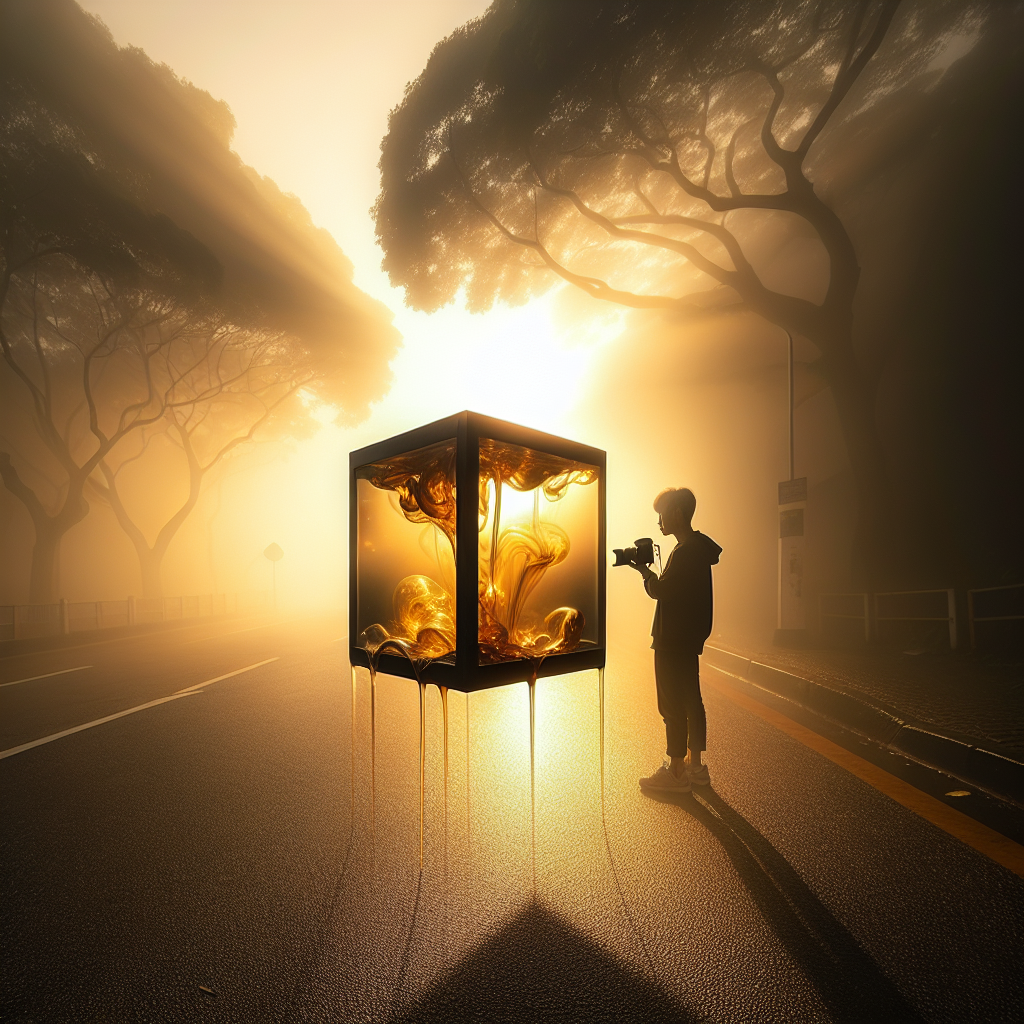
Dynamic Range vs Exposure: Photography Basics Explained Simply
Understanding dynamic range vs exposure removes a lot of confusion for beginners. The terms sound similar and they both affect how bright or dark a photo looks, but they describe different things.
Dynamic range is about how much brightness detail your camera can capture at once. Exposure is about how bright you actually make the photo with your settings.
Once you see the difference, decisions about aperture, shutter speed, and ISO become much easier.
Dynamic range vs exposure: the core idea
Start with a simple mental picture.
Imagine a scene:
-
A bright sky
-
A shaded street
-
A person standing under a tree
Your eyes can see detail in the clouds and in the shadows at the same time. A camera sensor, however, has limits.
What is dynamic range?
Dynamic range is the span from the darkest detail to the brightest detail your camera can record in a single shot.
Text diagram:
Dark detail                    Bright detail
|---------------- DYNAMIC RANGE ----------------|
Black                           White
If a scene fits inside your camera’s dynamic range, you can keep detail in both shadows and highlights. If the scene is wider than your camera’s dynamic range, something must give:
-
Very bright areas turn into pure white (blown highlights)
-
Very dark areas collapse into solid black (crushed shadows)
Example:
You photograph a person in front of a sunset.
-
The sun is extremely bright.
-
The person’s face is in deep shadow.
If your camera has limited dynamic range, you face a trade‑off:
-
Expose for the sky → the sky looks beautiful, but the person becomes a dark silhouette.
-
Expose for the person → the face looks good, but the sky turns into a flat white blob.
The problem is not exposure alone. The problem is that the scene’s dynamic range is greater than your camera’s dynamic range.
What is exposure?
Exposure is how much light hits the sensor during a shot.
It is controlled by three settings:
-
Aperture (f‑number): size of the lens opening
-
Shutter speed: how long the sensor is exposed
-
ISO: how strongly the sensor signal is amplified
Text diagram of exposure:
Too dark     Correct exposure        Too bright
   |---------------|--------------------|
Underexposed       Properly exposed   Overexposed
Exposure chooses where within the camera’s dynamic range the scene will sit.
-
Increase exposure → shift everything brighter
-
Decrease exposure → shift everything darker
Exposure does not change how wide the dynamic range is. It only moves the scene up or down within that range.
Example:
You photograph a grey card in even light.
-
At one set of settings, it looks too dark.
-
You slow the shutter speed to let in more light.
-
Now the grey card looks neutral and detailed.
The camera’s dynamic range did not change. You only changed exposure.
Exposure vs dynamic range: why the difference matters
The phrase exposure vs dynamic range describes two related but separate limits:
-
Exposure: your creative choice
-
Dynamic range: your camera’s technical limit
How they interact
Think of dynamic range as a fixed box. Exposure decides where to place the scene inside that box.
Text diagram:
Camera dynamic range box:

[ Black detail |----------------------| White detail ]

Low exposure:

   Scene
[ shadows midtones highlights ]
(shifted left: shadows safe, highlights very dark)

High exposure:

            Scene
[ shadows midtones highlights ]
(shifted right: highlights risk clipping)
If the scene’s total brightness range is smaller than the camera’s box, you can slide it left or right (darker or brighter) without losing detail.
If the scene’s brightness range is larger, some part will always stick out of the box. That part gets clipped.
Example: indoor portrait by a window
Scene:
-
Bright window behind the subject
-
Room interior much darker
Options:
-
Expose for the face
-
Face looks good.
-
Window becomes white with no detail (highlights clipped).
-
-
Expose for the window
-
Window shows clouds and buildings.
-
Face becomes very dark (shadows clipped).
-
-
Add light or change angle
-
Use a lamp, reflector, or move the subject.
-
Bring the room brightness closer to the window brightness.
-
Now the scene’s dynamic range fits better inside the camera’s dynamic range.
-
The key insight: no exposure setting alone can fix a scene that exceeds the camera’s dynamic range. You must either change the light, use techniques like HDR, or accept some clipping.
How aperture, shutter speed, and ISO relate to both
Aperture, shutter speed, and ISO form the exposure triangle. They work together to set exposure, and they also influence how well you use the available dynamic range.
The exposure triangle in plain language
-
Aperture (f‑stop): controls how big the lens opening is.
-
Lower f‑number (f/1.8): more light, blurrier background.
-
Higher f‑number (f/8): less light, sharper background.
-
-
Shutter speed: controls how long the sensor collects light.
-
Slow (1/30 s): more light, more motion blur.
-
Fast (1/1000 s): less light, freezes motion.
-
-
ISO: controls how strongly the sensor signal is amplified.
-
Low ISO (100–200): cleaner image, more dynamic range.
-
High ISO (3200+): more noise, less dynamic range.
-
Simple table: how each setting affects exposure and dynamic range
SettingEffect on ExposureEffect on Dynamic Range / DetailApertureWider (lower f‑number) = brighter imageNo direct change to sensor dynamic range; but allows lower ISO, which helps preserve itShutter speedSlower = brighter imageNo direct change to sensor dynamic range; but allows lower ISO, which helps preserve itISOHigher ISO = brighter imageHigher ISO reduces usable dynamic range and increases noise
Exposure is the brightness result of the combination of these three. Dynamic range is mostly tied to the sensor and ISO.
Example: bright landscape at noon
You want detail in both clouds and shadows under trees.
-
Start with base ISO (100) to keep maximum dynamic range.
-
Choose aperture for sharpness (for landscapes, maybe f/8).
-
Adjust shutter speed until the histogram shows no clipping in highlights.
Here, aperture and shutter balance exposure, but ISO controls how much of the sensor’s full dynamic range you keep.
Example: indoor sports
You need a fast shutter speed to freeze motion.
-
Shutter speed: 1/500 s or faster.
-
Aperture: as wide as the lens allows (say f/2.8).
-
Exposure is still too dark, so you raise ISO.
Raising ISO makes the image brighter, but it shrinks usable dynamic range. Bright lights in the stadium may clip more easily, and shadows may get noisy.
You trade dynamic range for the ability to capture the moment.
Reading the scene: how to judge dynamic range vs exposure
Before pressing the shutter, it helps to think about two questions:
-
How bright is the brightest important detail?
-
How dark is the darkest important detail?
The difference between those two tells you how demanding the scene’s dynamic range is.
Simple brightness scale diagram
Imagine brightness on a scale from 0 to 10:
-
0 = pure black
-
10 = pure white
Your camera might effectively capture, for example, from level 1 to level 9 with fine detail.
If the scene runs from 2 to 8, it fits comfortably. If the scene runs from 0 to 10, it exceeds what the sensor can record cleanly.
Exposure moves the scene along this scale:
-
Increase exposure → shift toward 10 (risk highlight clipping)
-
Decrease exposure → shift toward 0 (risk shadow clipping)
Practical example: city street at golden hour
You stand at a street corner.
-
Sky is bright but not harsh.
-
Buildings are medium‑bright.
-
People and shop interiors are darker.
Most modern cameras can handle this scene.
You can:
-
Slightly underexpose to protect the sky.
-
Lift shadows later in editing, using the camera’s dynamic range.
Here, understanding dynamic range vs exposure lets you decide to preserve highlights on purpose, knowing you can recover shadow detail later.
How to protect highlights and shadows
Highlights and shadows are where dynamic range limitations show up first.
Protecting highlights
Once highlights clip, detail is gone. That is why many photographers say: “Expose for the highlights, recover the shadows.”
Steps:
-
Watch the histogram. If it piles up hard on the right edge, highlights are clipping.
-
Use exposure compensation (e.g., −0.3 to −1.0 EV) to darken slightly.
-
Keep ISO as low as practical to preserve dynamic range.
Example:
You shoot a white wedding dress in bright sunlight.
-
Auto exposure makes the scene look okay, but the histogram shows a spike at the right edge.
-
You dial in −0.7 EV exposure compensation.
-
The dress now shows texture in the fabric instead of flat white.
Dynamic range allowed the sensor to keep subtle detail; exposure control placed the tones safely inside that range.
Preserving shadows
Shadows can be lifted in editing, but only up to a point.
-
Dark shadows contain less signal.
-
Lifting them aggressively also lifts noise.
To keep usable shadow detail:
-
Avoid underexposing too much.
-
Use lower ISO when possible.
-
Add light (flash, reflector, lamp) to reduce the scene’s brightness range.
Example:
You photograph someone in a dark alley with bright sky overhead.
-
Instead of exposing only for the sky and lifting shadows a lot later, you use a small flash to brighten the subject.
-
The scene’s dynamic range shrinks, so both subject and sky fit better within the camera’s capabilities.
Practical tips for cameras
These tips focus on getting the most from your camera’s dynamic range while controlling exposure.
1. Use base ISO whenever possible
Every camera has a base ISO, often ISO 100.
-
At base ISO, the sensor delivers its maximum dynamic range.
-
As ISO rises, dynamic range drops.
When light allows, keep ISO low and adjust aperture and shutter speed instead.
2. Learn to read the histogram
The histogram is a graph of brightness values in your image.
Simple diagram:
Dark tones            Midtones             Bright tones
|----------------------|------------------------|
^ shadows                                  highlights ^
-
A spike on the far right → highlight clipping.
-
A spike on the far left → shadow clipping.
Use it to judge exposure vs dynamic range:
-
If both ends are clipped, the scene exceeds your camera’s dynamic range.
-
You then decide what matters more: highlights or shadows.
3. Shoot RAW for more flexibility
RAW files keep more tonal information than JPEGs.
Benefits:
-
Better highlight recovery.
-
Cleaner shadow lifting.
RAW does not increase the sensor’s physical dynamic range, but it preserves more of what the sensor captured.
4. Use exposure compensation smartly
In semi‑automatic modes (A/Av, S/Tv, P), exposure compensation is your main tool.
-
Negative compensation (−EV) protects highlights.
-
Positive compensation (+EV) brightens subjects in darker scenes.
Example:
-
Snow scene: the camera underexposes because it sees lots of bright white. Dial in +1 EV so snow looks bright, not grey.
-
Sunset: the camera overexposes the sky. Dial in −1 EV to keep rich color and cloud detail.
5. Consider HDR for extreme scenes
High dynamic range (HDR) techniques combine multiple exposures.
Typical steps:
-
Take 3–5 shots at different exposures (e.g., −2, −1, 0, +1, +2 EV).
-
Merge them in software.
HDR extends the captured dynamic range beyond a single exposure, useful for interiors with bright windows or high‑contrast landscapes.
Practical tips for phone photography
Modern phones hide a lot of complexity but still follow the same principles.
1. Let auto HDR help you
Many phones enable HDR by default.
-
The phone captures several frames at different exposures.
-
It blends them to keep both sky and shadows detailed.
This effectively increases the usable dynamic range of the final photo.
When shooting:
-
Hold the phone steady for a moment after tapping the shutter.
-
Avoid fast‑moving subjects if HDR causes ghosting.
2. Tap to expose for what matters
On most phones, tapping the screen sets both focus and exposure.
-
Tap on a face in backlight → the phone brightens the person, risking a blown sky.
-
Tap on the sky → the phone protects highlights, turning the person into a silhouette.
Use this to control exposure vs dynamic range based on your priority.
3. Use exposure sliders
Many camera apps show a small sun icon next to the focus point.
-
Slide up: increase exposure (brighter).
-
Slide down: decrease exposure (darker).
Practical approach:
-
Tap on your subject.
-
Slide down until bright areas still show detail.
-
Let the phone’s HDR bring back some shadow detail.
4. Avoid extreme contrast when possible
Phones have smaller sensors than most standalone cameras, which limits dynamic range.
To help your phone:
-
Move your subject into open shade instead of mixed sun and shadow.
-
Turn your subject so the main light hits their face.
-
Avoid placing faces directly in front of very bright windows.
By softening contrast in the scene, you keep it within the phone’s dynamic range.
5. Try manual or “Pro” mode
Many phones offer a Pro mode with:
-
ISO control
-
Shutter speed control
-
Exposure compensation
Basic strategy:
-
Use the lowest ISO the phone allows for cleaner shadows and better dynamic range.
-
Adjust shutter speed to get a workable exposure.
-
Use exposure compensation to protect highlights, then lift shadows slightly in editing.
FAQ: dynamic range vs exposure
What is the difference between dynamic range and exposure?
Dynamic range is the range of brightness levels a camera can capture in one shot, from darkest detail to brightest detail. Exposure is the amount of light you let into the camera using aperture, shutter speed, and ISO, which sets how bright or dark the image appears.
Does changing exposure change my camera’s dynamic range?
Changing exposure does not change the sensor’s maximum dynamic range. It only shifts the scene within that range. However, changing ISO does affect how much of that dynamic range is effectively usable, because higher ISO introduces more noise and reduces highlight headroom.
Why do my skies turn white when the subject looks good?
That happens when the scene’s brightness range is larger than your camera’s dynamic range. Exposing for the subject pushes the sky beyond the sensor’s limit, so it clips to white. To fix this, lower exposure, use HDR, add light to the subject, or move to a less contrasty angle.
Is higher dynamic range always better?
Higher dynamic range gives more flexibility, especially in harsh light. However, composition, timing, and subject matter still matter more. A camera with modest dynamic range can still produce excellent photos when light is managed well and exposure is chosen carefully.
How can beginners practice understanding exposure vs dynamic range?
A simple exercise:
-
Find a high‑contrast scene, like a person near a bright window.
-
Take one photo exposing for the person.
-
Take another exposing for the window.
-
Compare both and look at the histograms.
This shows how exposure changes what is visible, and how dynamic range limits what can be captured at once.
Mastering dynamic range vs exposure gives you control over how your photos look, whether you shoot with a mirrorless camera or a phone. Once you see exposure as the way you place a scene inside your camera’s limited dynamic range, decisions about settings become clearer, and your images start to match what you imagined when you pressed the shutter.


Leave a Reply