
HDR10 vs Dolby Vision: Metadata, Formats, and TV Compatibility Explained
High dynamic range has turned into one of the main reasons to upgrade a TV or streaming setup. Yet once you start comparing models, the alphabet soup of HDR10, HDR10+, Dolby Vision, and HLG appears. The headline question many buyers ask is simple: hdr10 vs dolby vision – which one actually delivers better picture quality, and which matters more for your TV or streaming apps?
This article breaks down how the formats differ, why metadata matters, and how each option behaves on real TVs, projectors, and streaming platforms.
HDR vs Dolby Vision: What Problem Are They Solving?
Before comparing hdr10 vs dolby vision, it helps to zoom out to hdr vs dolby vision as a broader question. HDR (high dynamic range) is the category. Dolby Vision is one specific HDR format inside that category, just like HDR10 and HDR10+.
Standard dynamic range (SDR) content is mastered for a relatively narrow brightness range, roughly 0.1 to 100 nits. HDR formats expand that range dramatically, often up to 1,000 nits for mainstream content and as high as 4,000 nits or more for some premium masters. That extra range allows:
-
Brighter highlights, such as sunlight, sparks, or reflections.
-
Deeper shadows that still show texture instead of flat black.
-
More saturated colors without clipping.
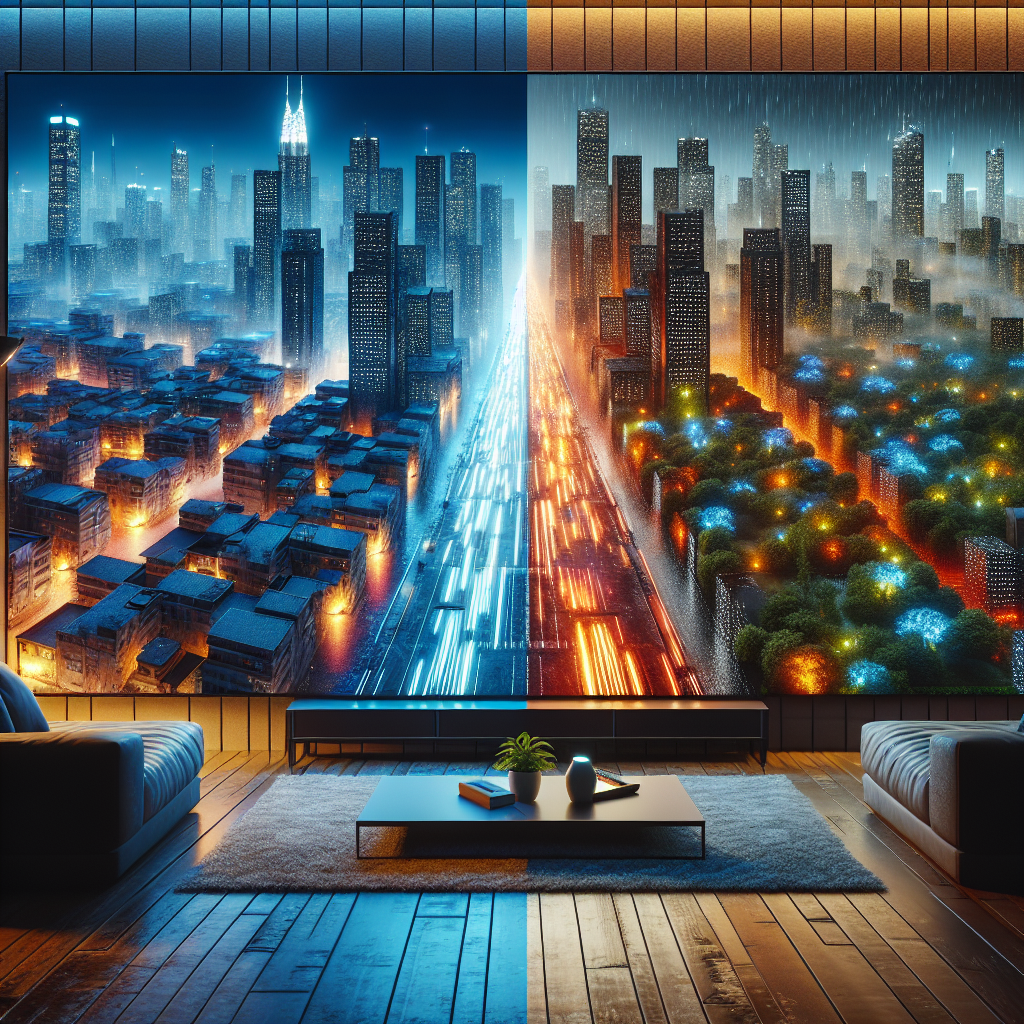
A concrete example: watch a night cityscape scene in SDR and then in HDR on the same 4K TV. In SDR, neon signs glow but look relatively flat and uniform. In HDR, those signs can pop with different intensities, while windows in the background reveal detail that previously blended into the dark.
Dolby Vision and HDR10 both deliver this expanded range, but they differ in how they describe that range to the TV and how precisely they can adapt to each display’s capabilities.
HDR10 vs Dolby Vision: Core Technical Differences
The most important hdr formats comparison for buyers is HDR10 vs Dolby Vision. Both use the same basic idea: store brightness and color information in a way that lets TVs show a wider range than SDR. The differences show up in metadata, color depth, and mastering flexibility.
Static vs dynamic metadata
Metadata tells the TV how bright the content was mastered and how to map that brightness to the TV’s own capabilities. This mapping is called tone‑mapping.
-
HDR10 uses static metadata. The mastering information is set once for the entire movie or episode.
-
Dolby Vision uses dynamic metadata. The mastering information can change scene by scene or even frame by frame.
Imagine a film with bright desert scenes and very dark interior shots. With HDR10, the TV receives one set of metadata that has to work for both. Tone‑mapping becomes a compromise: if it preserves highlight detail in the desert, some shadow detail inside the cave may be crushed, or vice versa.
With Dolby Vision, the metadata can tell the TV exactly how to treat each scene. The desert sequence can use one mapping curve, while the cave scene uses another, preserving detail in both bright and dark areas more effectively on a wider range of TVs.
Color depth and bit depth
Color banding is the visible stepping between shades of color, especially in skies or gradients.
-
HDR10 is defined around 10‑bit color depth. That allows 1,024 levels per color channel.
-
Dolby Vision supports up to 12‑bit color depth in the specification, allowing 4,096 levels per channel.
Most consumer TVs today are effectively 10‑bit panels. However, Dolby Vision’s 12‑bit pipeline still has value. Even when the final display is 10‑bit, the extra precision in grading and metadata can reduce banding and preserve more subtle transitions, particularly when combined with dynamic tone‑mapping.
A practical example: in a sunset scene on a mid‑range TV, HDR10 may show faint steps in the sky gradient if the tone‑mapping is aggressive. The same scene in Dolby Vision, mastered with 12‑bit precision and dynamic metadata, often shows smoother skies because the mapping can be tuned more carefully for that TV’s brightness and color volume.
Mastering flexibility and peak brightness
Both formats are designed to support high peak brightness, but they approach it differently.
-
HDR10 typically carries metadata for mastering display peak brightness (often 1,000 or 4,000 nits) and the content’s maximum frame‑average brightness.
-
Dolby Vision can carry more detailed information about how specific scenes should look on displays with different peak brightness levels.
For example, consider a film mastered at 4,000 nits peak brightness. When you watch the HDR10 version on a 600‑nit TV, the TV’s static tone‑mapping must compress the entire 0–4,000 nit range into 0–600 nits using a single mapping curve. With Dolby Vision, the content can include multiple trims for different target brightness levels, so a 600‑nit TV receives instructions tailored to its capabilities. That usually means better highlight detail and more consistent color saturation across different scenes.
Metadata Differences in Detail
Metadata is the heart of the hdr10 vs dolby vision debate. It determines how faithfully the TV can reproduce the creator’s intent across a wide range of hardware.
What static metadata does in HDR10
HDR10 uses two key metadata values:
-
MaxCLL (Maximum Content Light Level) – the brightest pixel in the whole program.
-
MaxFALL (Maximum Frame‑Average Light Level) – the brightest average brightness of any frame.
These values are constant for the entire title. The TV reads them at the start and chooses a tone‑mapping curve that fits its own peak brightness and black level.
Example: a film mastered at 1,000 nits with MaxCLL 1,000 and MaxFALL 400 will trigger one mapping strategy. A different title mastered at 4,000 nits with MaxCLL 4,000 and MaxFALL 600 triggers another. Once set, that strategy stays in place from opening credits to end credits.
This approach is simple and widely supported, but it can be blunt. Dark scenes may be mapped too conservatively if the metadata was influenced by a few extremely bright highlights elsewhere in the film.
How dynamic metadata works in Dolby Vision
Dolby Vision carries more granular instructions. The metadata can be set per scene or per frame, and it can include different trims for multiple target brightness levels, such as 1,000 nits, 2,000 nits, or 4,000 nits.
When a Dolby Vision‑capable TV plays the content, it reads both the base layer (often an HDR10‑compatible signal) and the enhancement layer containing dynamic metadata. The TV’s Dolby Vision engine then:
-
Detects its own peak brightness and color capabilities.
-
Reads the dynamic metadata for the current scene or frame.
-
Applies a tone‑mapping curve designed for that scene and for that specific TV.
A practical viewing example: a thriller with a dimly lit warehouse sequence followed by a bright daylight chase. In HDR10, the warehouse may look slightly raised in black levels to preserve some shadow detail, while the chase may lose a bit of highlight nuance. In Dolby Vision, the warehouse can maintain deep blacks without losing detail in the crates, and the chase can keep cloud texture and reflections in car windows, all tuned to your TV’s brightness.
Impact on lower‑end and mid‑range TVs
High‑end OLED and mini‑LED sets already have strong internal tone‑mapping. On those displays, HDR10 and Dolby Vision can look quite close on well‑graded content.
On budget and mid‑range models, dynamic metadata often makes a bigger difference. These TVs have more limited brightness and color volume, so the extra guidance from Dolby Vision’s metadata can prevent crushed blacks, blown‑out highlights, or washed‑out midtones.
For example, a 400‑nit entry‑level TV playing a 4,000‑nit master:
-
With HDR10, it may brighten the whole image, losing the sense of depth.
-
With Dolby Vision, it can prioritize key highlights and maintain contrast in the midtones, producing a more cinematic look despite the limited hardware.
HDR Formats Comparison Table
The hdr formats comparison below summarizes the main technical differences among HDR10, Dolby Vision, HDR10+, and HLG.
FeatureHDR10Dolby VisionHDR10+HLG (Hybrid Log‑Gamma)Metadata typeStaticDynamic (scene/frame)Dynamic (scene/frame)None (curve‑based)Bit depth (spec)10‑bitUp to 12‑bit10‑bit10‑bitLicensingOpen, no per‑title feeLicensed (Dolby)Open, royalty‑freeOpen (BBC/NHK)Typical mastering peak1,000–4,000 nits1,000–4,000 nits (with multiple trims)1,000–4,000 nitsBroadcast‑oriented, variableBackward compatibilitySDR via separate gradeHDR10 fallback base layer in many casesHDR10 fallback possibleBackward compatible with SDR TVsPrimary use casesUHD Blu‑ray, streaming, gamesPremium streaming, UHD Blu‑ray, TVsStreaming, some UHD Blu‑rayLive TV and broadcastExample platformsMost 4K discs, all HDR TVsNetflix, Disney+, Apple TV+, UHD Blu‑rayPrime Video, some discs, TVsBBC, NHK, some satellite feeds
For most buyers comparing hdr10 vs dolby vision, HDR10+ and HLG are secondary considerations, but they matter if you watch a lot of live broadcast (HLG) or Amazon Prime Video (HDR10+).
TV Compatibility: Brands, Models, and Real‑World Behavior
The best HDR format for you depends heavily on your TV. The same movie can look different across formats depending on how each TV brand implements tone‑mapping.
Brand support overview
While exact support varies by model year, the following patterns hold for most current 4K and 8K TVs:
-
LG: Strong Dolby Vision support across OLED and many NanoCell/QNED models. No HDR10+.
-
Sony: Dolby Vision on mid‑range and high‑end models. No HDR10+.
-
Samsung: HDR10 and HDR10+ on almost all 4K/8K sets. No Dolby Vision.
-
TCL: Many models support both HDR10 and Dolby Vision; some also support HDR10+.
-
Hisense: Increasing support for both Dolby Vision and HDR10+ on mid‑range and high‑end models.
-
Panasonic (where available): Often supports HDR10, HDR10+, Dolby Vision, and HLG on the same set.
Example: a mid‑range LG OLED will play Dolby Vision from Netflix, Disney+, and Apple TV+ with dynamic metadata. The same services on a Samsung QLED fall back to HDR10 because Samsung does not license Dolby Vision, though they add their own dynamic tone‑mapping.
How TVs handle unsupported formats
If a TV does not support Dolby Vision, it still plays the content but in HDR10. Many Dolby Vision titles on streaming services include an HDR10 stream as well. The app detects your TV’s capabilities and chooses the best available format.
For instance, a Dolby Vision movie on Netflix:
-
On a Sony OLED: plays in Dolby Vision with dynamic metadata.
-
On a Samsung QLED: plays in HDR10 with static metadata.
-
On an older non‑HDR TV: falls back to SDR.
Similarly, if a TV lacks HDR10+ support, it simply plays the HDR10 base layer from an HDR10+ stream or disc.
Picture settings and calibration considerations
Many TVs expose separate picture modes for different HDR formats. A typical LG OLED might show:
-
“Cinema” or “Filmmaker Mode” for HDR10.
-
“Cinema (Dolby Vision)” for Dolby Vision content.
Professional calibrators often set up unique calibrations for each format because tone‑mapping, color volume, and gamma handling differ. For a home user, the key steps include:
-
Choose the most accurate preset (often “Cinema”, “Movie”, or “Filmmaker”).
-
Disable aggressive dynamic contrast or vivid modes that distort HDR.
-
Let the TV handle tone‑mapping rather than forcing manual gamma curves.
A concrete scenario: on a Sony TV, switching from “Vivid” to “Cinema” for Dolby Vision can transform a harsh, over‑bright image into one with smoother highlights and more natural skin tones. The same change for HDR10 content can reduce clipping in specular highlights.
Streaming Platforms and HDR Format Support
Streaming platforms play a major role in the hdr10 vs dolby vision decision. Different services prioritize different formats, which affects how often you will see each one.
Netflix
-
Heavy use of Dolby Vision for original series and films.
-
HDR10 versions are also available for most titles.
-
No HDR10+.
Example: “Stranger Things” and “The Witcher” stream in Dolby Vision on compatible TVs. On a Samsung TV, these same titles stream in HDR10.
Disney+
-
Broad support for Dolby Vision and HDR10.
-
Most Marvel, Star Wars, and Pixar titles offer Dolby Vision.
-
No HDR10+ currently.
For a Dolby Vision‑capable TV, Disney+ provides one of the richest catalogs of dynamic‑metadata HDR content, especially for animated films where highlight and color control are critical.
Apple TV+ and iTunes (Apple TV app)
-
Extensive Dolby Vision support for both originals and many purchased movies.
-
HDR10 available as fallback.
-
No HDR10+.
A 4K movie purchased through Apple often includes Dolby Vision, HDR10, and SDR versions. The Apple TV device automatically selects the best match for your TV.
Amazon Prime Video
-
Mix of HDR10, HDR10+, and some Dolby Vision titles.
-
Amazon originals often use HDR10+ where supported.
For example, “The Marvelous Mrs. Maisel” and many newer Amazon originals stream in HDR10+ on compatible Samsung and Panasonic TVs. On LG or Sony sets without HDR10+ support, they fall back to HDR10.
Other platforms
-
HBO Max / Max: Primarily HDR10, with some Dolby Vision on certain devices and titles.
-
Vudu (where available): Strong Dolby Vision support for many 4K titles, plus HDR10.
-
YouTube: HDR10 and HLG, with HDR10+ on some content; no Dolby Vision.
For a viewer focused on Dolby Vision, Netflix, Disney+, and Apple TV+ provide the most consistent experience. For HDR10+ fans, Amazon Prime Video and YouTube are key.
UHD Blu‑ray and Physical Media
For disc collectors, hdr10 vs dolby vision appears on the back of UHD Blu‑ray cases. Most discs include at least HDR10 because it is the baseline standard.
-
Many premium titles add Dolby Vision, especially from studios like Warner Bros., Universal, and Paramount.
-
Some discs use HDR10+, often from 20th Century Fox (now Disney) and certain European releases.
A typical disc might say “4K Ultra HD + HDR10 + Dolby Vision” on the cover. In practice:
-
A Dolby Vision‑capable player and TV will use the Dolby Vision layer.
-
A TV without Dolby Vision support will use the HDR10 base layer.
For example, a 4K disc of a high‑contrast film like “Blade Runner 2049” can show visibly different highlight control between HDR10 and Dolby Vision on a mid‑range LCD TV. The Dolby Vision version often maintains more detail in neon lights and holograms while keeping dark areas cleaner.
Gaming: HDR10 vs Dolby Vision on Consoles and PCs
Gaming adds its own twist to hdr10 vs dolby vision because latency and real‑time rendering matter.
Consoles
-
Xbox Series X|S: Supports HDR10 and Dolby Vision for gaming on compatible TVs.
-
PlayStation 5: Currently supports HDR10 only.
Dolby Vision gaming on Xbox can provide more consistent HDR across titles, especially where in‑game HDR sliders are confusing. The console and TV coordinate tone‑mapping using dynamic metadata, which can reduce the need for manual calibration per game.
For example, a dark fantasy game with torches and spells can look either washed out or too dark if HDR sliders are mis‑set in HDR10. With Dolby Vision enabled on an Xbox Series X and a Dolby Vision TV, the console sends a signal that lets the TV handle much of the mapping automatically.
PCs
On Windows, HDR gaming is predominantly HDR10. PC monitors and GPUs focus on HDR10 support, and Dolby Vision for PC gaming is still rare and device‑specific.
PC gamers benefit more from good local dimming, high peak brightness, and accurate calibration than from format differences alone. A well‑calibrated HDR10 monitor with 1,000‑nit peak brightness and strong dimming often outperforms a dimmer TV that supports Dolby Vision but lacks gaming‑friendly features like low input lag.
Practical Buying Advice: Which HDR Format Matters More?
When comparing hdr vs dolby vision as a buying factor, several practical points help narrow the choice.
Prioritize panel quality first
The quality of the panel and backlight or self‑emissive technology (OLED, mini‑LED, full‑array local dimming) has more impact than the HDR format alone.
-
A high‑end HDR10‑only TV with 1,500‑nit peak brightness and excellent local dimming can outperform a low‑brightness Dolby Vision TV.
-
Dolby Vision becomes more valuable as panel quality improves, because the TV can actually realize the metadata’s intent.
For example, a premium Samsung QN90 series QLED (HDR10/HDR10+) can deliver more impactful HDR than a budget Dolby Vision LCD with 350‑nit peak brightness and edge lighting.
Consider your main streaming services
Match the TV’s HDR format support to your viewing habits:
-
Heavy Netflix, Disney+, and Apple TV+ usage: Dolby Vision support is highly beneficial.
-
Heavy Amazon Prime Video and YouTube usage: HDR10+ support adds value, though HDR10 still works.
-
Mixed usage: A TV that supports both Dolby Vision and HDR10+ (such as many Panasonic, TCL, and Hisense models) offers maximum flexibility.
Think about future‑proofing
Dolby Vision has strong momentum in streaming and premium discs. HDR10 remains the baseline standard and will not disappear. HDR10+ is growing but still trails Dolby Vision in content volume.
For someone upgrading a main living‑room TV expected to last 5–7 years, choosing a model with both HDR10 and Dolby Vision support covers the broadest range of content today and likely in the near future.
FAQs: HDR10 vs Dolby Vision and Other HDR Questions
Is Dolby Vision always better than HDR10?
Dolby Vision offers technical advantages: dynamic metadata, support for up to 12‑bit color, and multiple trims for different display brightness levels. On a good TV, that can translate into better shadow detail, more controlled highlights, and smoother gradients.
However, the difference depends on:
-
The quality of the TV’s panel and tone‑mapping.
-
How carefully the content was graded.
-
The viewing environment.
On a high‑end OLED or mini‑LED in a dark room, the difference between a well‑graded HDR10 title and its Dolby Vision version can be subtle. On mid‑range sets, Dolby Vision often provides a more consistent improvement.
Do all 4K HDR TVs support Dolby Vision?
No. Every 4K HDR TV supports HDR10, but not all support Dolby Vision or HDR10+.
-
LG, Sony, TCL, Hisense, and many others: increasing Dolby Vision support.
-
Samsung: HDR10 and HDR10+, but no Dolby Vision.
Always check the spec sheet for explicit mention of Dolby Vision if that format matters to you.
What happens if my TV does not support Dolby Vision?
If your TV lacks Dolby Vision support, it will play the HDR10 version of the content instead. Streaming apps and disc players automatically fall back to HDR10 when Dolby Vision is unavailable.
You still get HDR, just without Dolby Vision’s dynamic metadata layer.
Is HDR10+ a replacement for Dolby Vision?
HDR10+ and Dolby Vision share the dynamic metadata concept, but they are separate ecosystems.
-
HDR10+ is royalty‑free and strongly supported by Samsung and Amazon.
-
Dolby Vision is licensed and widely used by LG, Sony, Apple, Netflix, and Disney.
Neither fully replaces the other. In practice, the choice depends on your TV brand and preferred streaming services.
Does Dolby Vision matter for gaming?
Dolby Vision for gaming can simplify HDR setup and improve consistency on Xbox Series X|S when paired with a compatible TV. It allows dynamic tone‑mapping tuned to the TV’s capabilities.
That said, low input lag, high peak brightness, and good local dimming matter more than the HDR format alone. A TV with excellent HDR10 performance and strong gaming features can outperform a weaker Dolby Vision TV for games.
How can I tell if I am watching in Dolby Vision or HDR10?
Most TVs and streaming apps display an on‑screen indicator when HDR starts.
-
LG and Sony TVs often show “Dolby Vision” or a specific logo.
-
Many TVs show “HDR” or “HDR10” when playing HDR10 content.
Streaming apps like Netflix also show format badges (such as “Dolby Vision” or “HDR”) next to the title information, especially on devices like Apple TV or game consoles.
Understanding the technical and practical differences between hdr10 vs dolby vision helps you match your next TV or streaming device to how you actually watch content. With the right pairing of panel quality, HDR format support, and preferred platforms, HDR can deliver a clear, repeatable upgrade over SDR, not just a logo on the box.


Leave a Reply