
Creators who respect the technical limits of a platform usually win more reach. Instagram Reels is no exception. Knowing the correct Instagram Reels dimensions prevents awkward cropping, blurry uploads, and text that disappears behind interface elements.
This breakdown focuses on the exact sizes, safe zones, and export settings that keep Reels looking sharp on any device.
Core Instagram Reels Dimensions
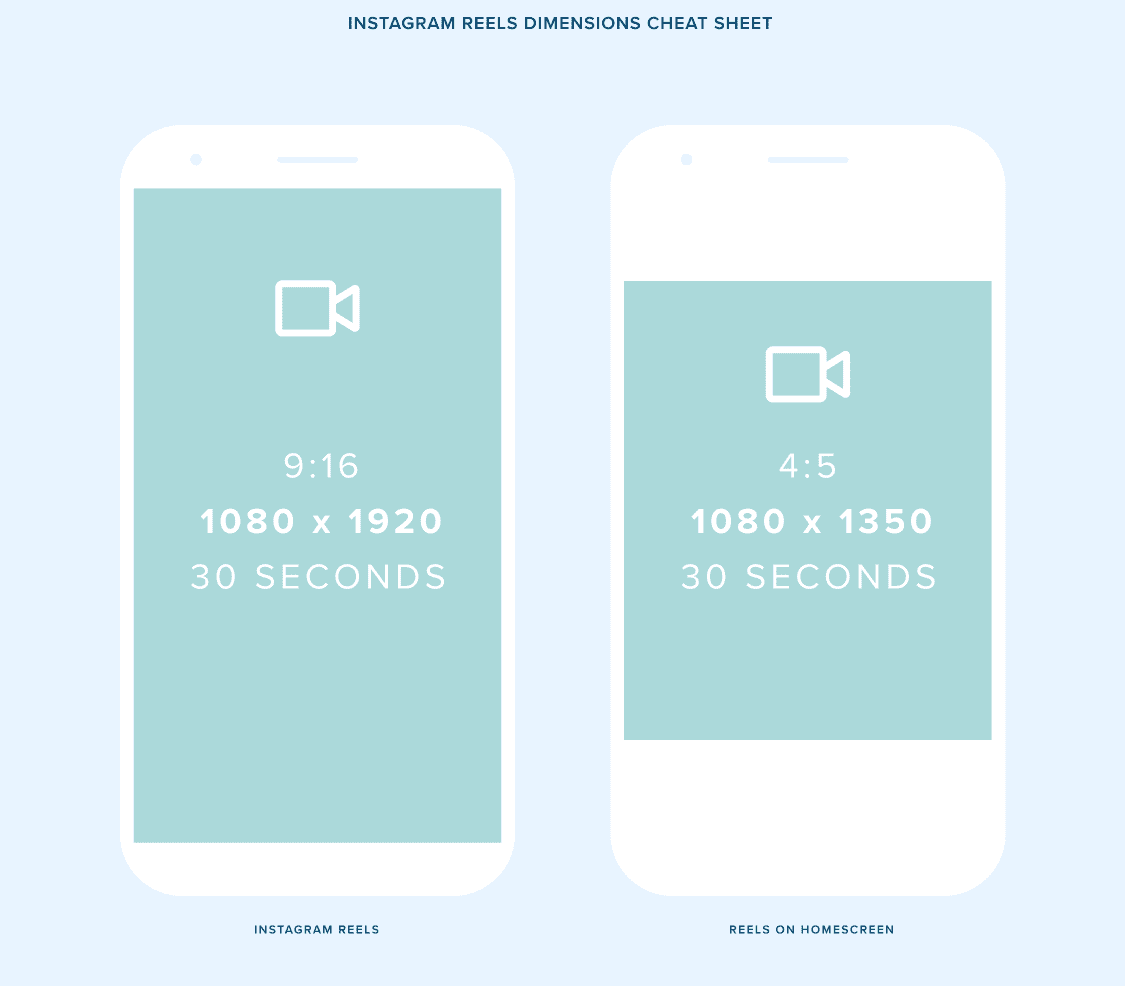
Instagram Reels dimensions follow a vertical 9:16 aspect ratio. The platform displays Reels at 1080 x 1920 pixels as the standard frame.
That means:
- Width: 1080 pixels
- Height: 1920 pixels
- Aspect ratio: 9:16
A quick way to check aspect ratio: divide width by height. For Instagram Reels dimensions, 1080 ÷ 1920 simplifies to 9 ÷ 16.
Example: A video shot on a phone in portrait mode at 1080 x 1920 pixels will fill the Reels frame perfectly. No black bars, no automatic cropping. If the same clip is shot in landscape at 1920 x 1080, Instagram will pillarbox or crop it, and important details near the edges can vanish on some screens.
Safe Zones: Where Text and Key Visuals Should Live
Using the correct Instagram Reels dimensions is only half the job. Instagram overlays interface elements on top of your video:
- Username and caption near the bottom
- Like, comment, and share buttons on the right side
- Progress bar at the very bottom
To avoid hiding important content, treat the center area as a safe zone.
A reliable guideline for Instagram Reels dimensions and safe areas:
- Keep critical text within 864 x 1536 pixels centered inside the frame.
- Leave at least 192 pixels of padding at the top and bottom.
Example: A tutorial Reel with step labels near the bottom edge will clash with the caption and progress bar. Shifting all text upward by at least 200 pixels and centering it horizontally keeps it readable on both small phones and larger screens.
When designing in tools like Figma or Canva, create a 1080 x 1920 canvas, then add an inner rectangle of 864 x 1536 pixels as a guide. Place titles, subtitles, and faces inside that inner rectangle.
Aspect Ratios for Grid and Explore Thumbnails
Instagram Reels dimensions also matter for how your content appears in the main feed and profile grid. The full Reel is 9:16, but thumbnails often display in 4:5 or 1:1.
- Full Reel: 9:16 (1080 x 1920)
- Feed preview: 4:5 (1080 x 1350)
- Profile grid: 1:1 (1080 x 1080)
Example: A product demo Reel shows the item near the bottom of the frame. On the profile grid, Instagram crops the center 1:1 square. If the product sits too low, the grid thumbnail shows only a hand or background. Centering the product vertically and horizontally within the 1080 x 1080 middle square ensures the subject remains visible in every view.
When exporting, keep the full 1080 x 1920 size, but compose important visual elements so they still look strong inside a 1080 x 1080 central square.
Export Settings: Resolution, Bitrate, and Format
Correct Instagram Reels dimensions lose value if export settings degrade quality. Aim for settings that balance clarity with upload reliability.
Recommended baseline:
- Resolution: 1080 x 1920 pixels
- Frame rate: 30 fps (60 fps also works and looks smoother)
- Video codec: H.264
- Container: MP4
- Bitrate: 8–12 Mbps for 1080p
- Audio: AAC, 44.1 kHz or 48 kHz, 128–320 kbps
Example: Two identical Reels are exported differently. One uses 720 x 1280 resolution at a low bitrate of 3 Mbps, the other follows the Instagram Reels dimensions at 1080 x 1920 with 10 Mbps. After upload, the 720p version looks soft, especially on newer phones. The 1080p version stays crisp, even after Instagram compresses it.
Always disable heavy noise reduction and extreme sharpening at export. Instagram applies its own compression, and stacking too many filters can create halos and banding.
Shooting and Editing for Vertical Reels
Planning around Instagram Reels dimensions starts when you pick up the camera, not just in post-production.
Practical habits:
- Lock orientation to portrait. Rotate the phone vertically before recording.
- Frame for 9:16. Keep the subject in the central third of the frame.
- Leave headroom. Avoid placing text or faces at the very top or bottom.
- Use vertical timelines. In editors like Premiere Pro, create a 1080 x 1920 sequence.
Example: A restaurant records a behind-the-scenes clip in landscape because that is the default habit. Later, the editor must crop aggressively to fit the Instagram Reels dimensions, cutting off parts of the kitchen and staff. When the same restaurant switches to shooting directly in vertical 9:16, plating details and chef reactions all fit naturally, and editing time drops.
If starting from a horizontal video, use intelligent reframing tools (such as Auto Reframe in Adobe Premiere Pro) and then manually adjust keyframes to keep the subject centered.
Common Mistakes with Instagram Reels Dimensions
Several recurring issues reduce the impact of otherwise strong content.
Frequent problems:
- Uploading 16:9 horizontal videos with black bars.
- Adding text too close to the edges.
- Mixing different aspect ratios in a single Reel.
- Exporting at 4K when the platform displays at 1080 x 1920, causing longer uploads and no real gain.
Example: A fitness coach records a workout tip in 4K landscape, then uploads without editing. Instagram compresses it into a vertical player with large black bars and tiny subject size. Engagement drops. After switching to vertical 1080 x 1920 and repositioning on-screen cues into the safe zone, the same content becomes easier to follow, and completion rates climb.
Treat the official Instagram Reels dimensions as a fixed frame and design every element—video, text, and graphics—inside that frame from the start.
FAQ: Instagram Reels Dimensions
What are the ideal Instagram Reels dimensions?
The ideal Instagram Reels dimensions are 1080 x 1920 pixels with a 9:16 aspect ratio.
Can horizontal videos work as Reels?
Horizontal videos can be uploaded, but Instagram will add black bars or crop them. Recording vertically in 9:16 matches the recommended Instagram Reels dimensions and delivers a better viewing experience.
What size should text and overlays use on Reels?
Keep text within the central safe zone, roughly 864 x 1536 pixels inside the 1080 x 1920 frame. Avoid placing captions or key labels near the top and bottom edges where Instagram UI elements appear.
Do Reels need 4K resolution?
No. Instagram Reels dimensions target 1080 x 1920 pixels. Uploading 4K often increases file size without visible benefits after compression.
What file format works best for Instagram Reels?
Use MP4 with the H.264 codec, 1080 x 1920 resolution, and 30 or 60 fps. This format aligns with Instagram Reels dimensions and keeps playback smooth.


Leave a Reply